Your planner is basically a second brain so why does it look like a tornado hit a stationery store? These planner color coding ideas will turn your messy schedule into a system so satisfying, you’ll actually want to open your planner every single day.
1. Assign One Color Per Life Category
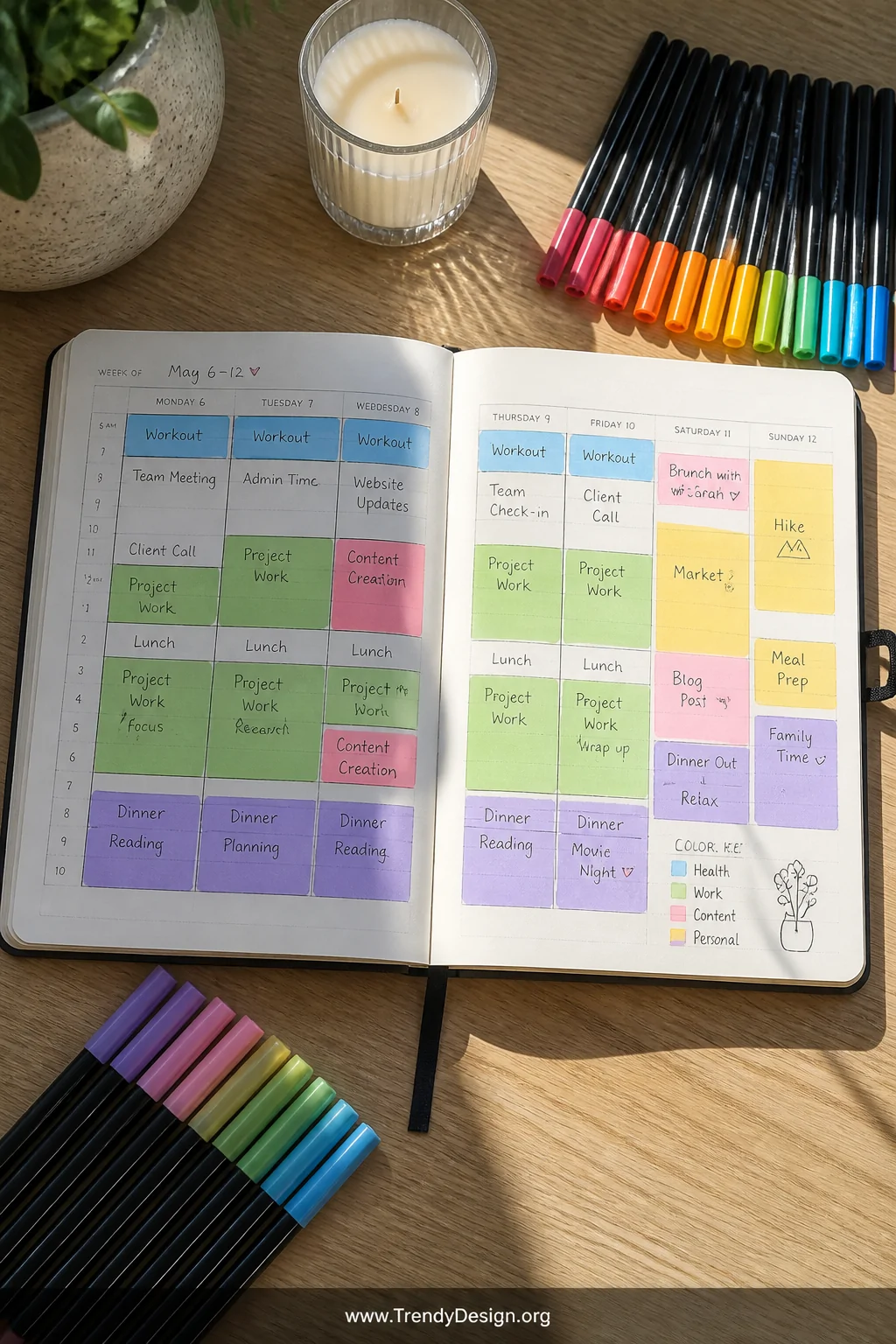
The simplest and most powerful place to start is giving each area of your life its own dedicated color. Work gets blue, personal life gets green, health gets pink you get the idea.
When you glance at your weekly spread, you instantly see where your energy is going without reading a single word. That visual balance check is genuinely life-changing.
- Keep your categories to 5-6 max to avoid rainbow overwhelm
- Write your color key somewhere visible in your planner
- Stick to the same colors every week for muscle memory
2. Use Color to Signal Priority Levels
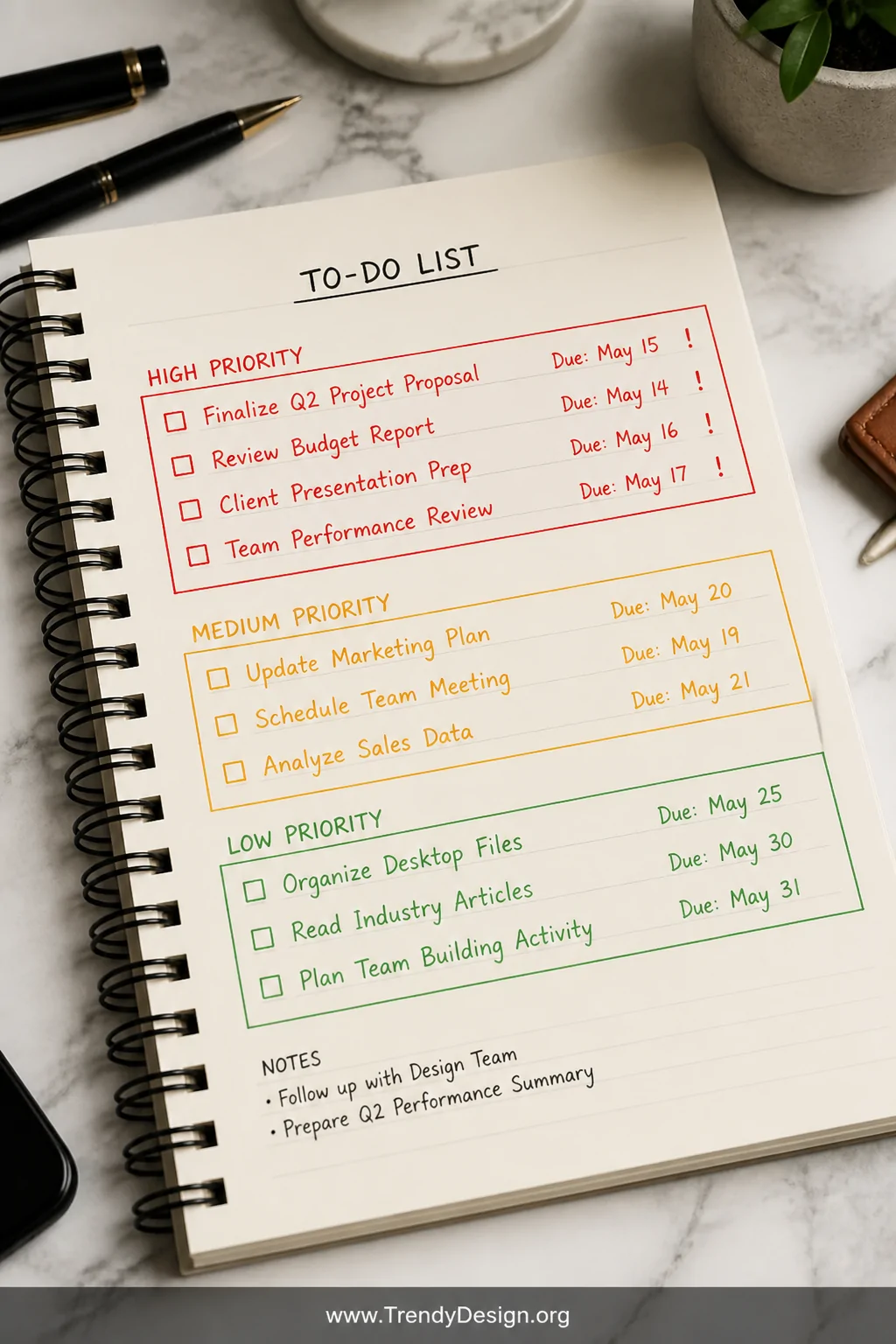
Not everything on your to-do list deserves equal attention and your color coding system should reflect that brutal truth. Red for urgent, yellow for medium priority, green for low-stakes tasks that can wait.
This method stops you from spending Tuesday reorganizing your bookmark folders when you have a deadline screaming your name. Color makes the stakes crystal clear before your brain even processes the words.
IMO, this priority-based approach works especially well for people who tend to tackle easy tasks first just to feel productive. (We see you.)
3. Color Code by Person or Relationship
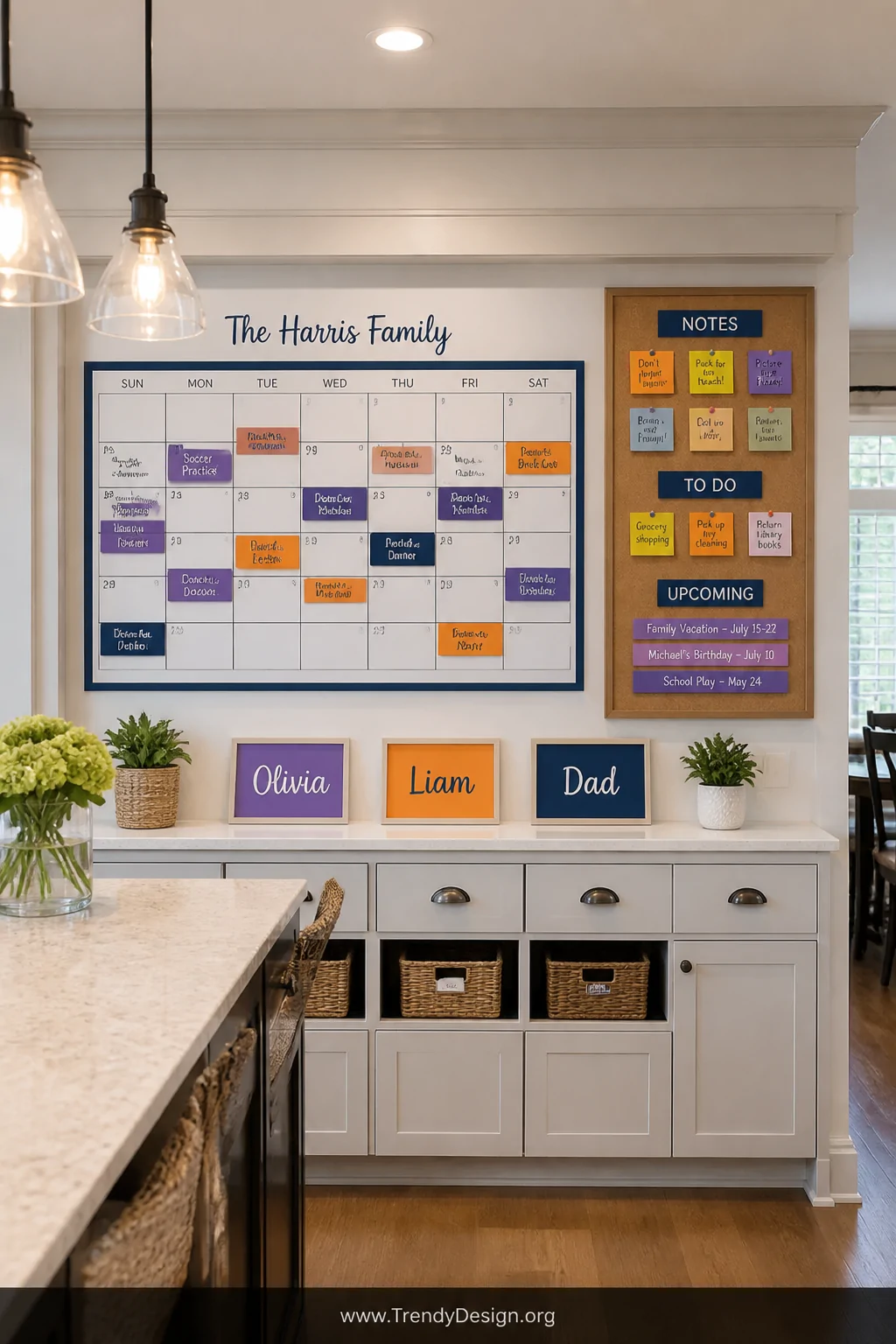
If your life involves managing schedules for multiple people kids, a partner, clients, your team give each person their own color. Mom is purple, the kids are orange, your boss gets a very serious navy blue.
This technique is a total game-changer for family planners and project managers alike. You can scan a full month spread and immediately know whose appointment lands where without squinting at tiny handwriting.
- Let kids pick their own colors instant buy-in from small humans
- Use this system in shared digital planners too for consistency
- Add initials alongside colors for extra clarity on packed days
4. Highlight Deadlines and Due Dates Differently
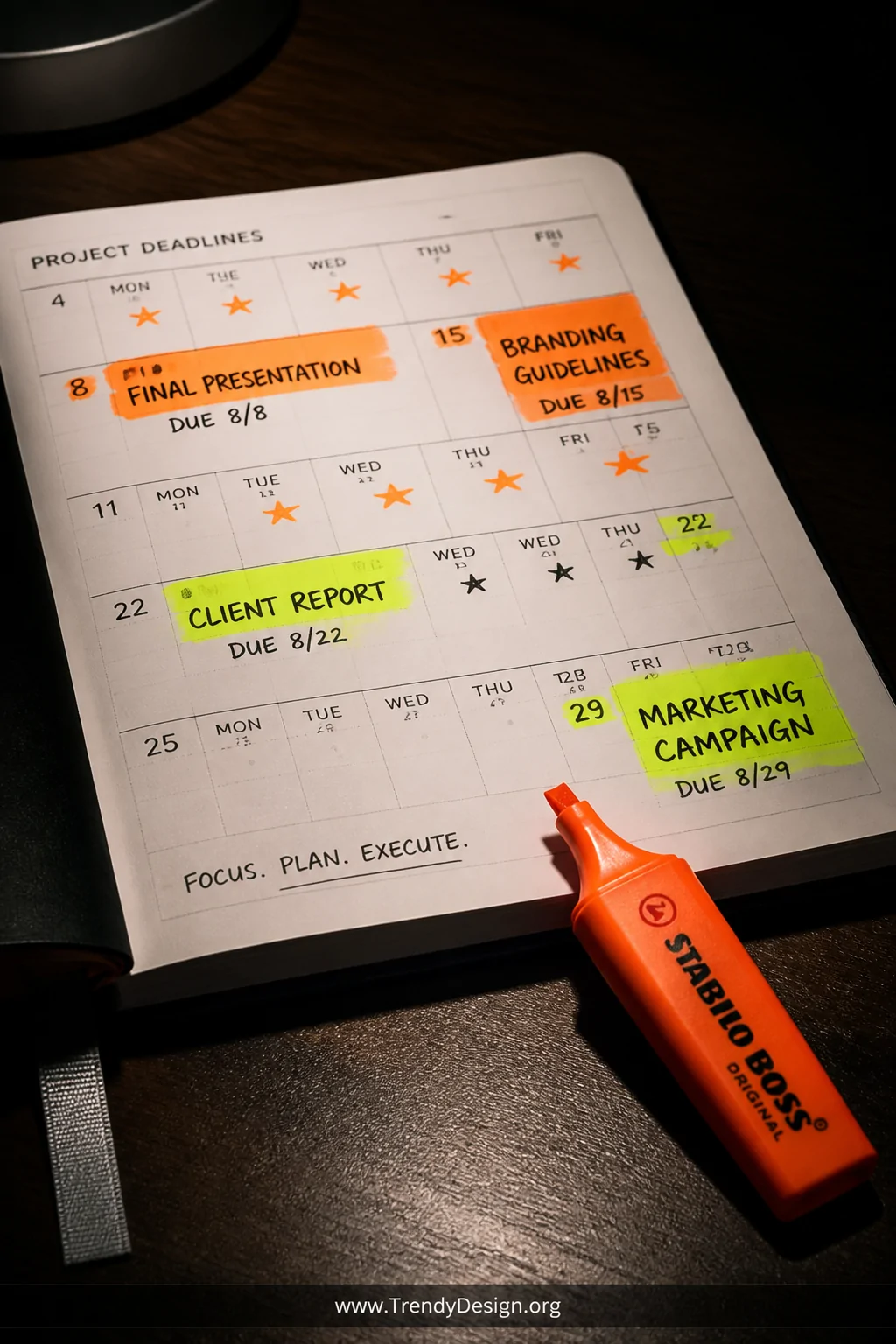
Deadlines deserve their own visual language, completely separate from your regular color coding ideas. Try using a bold neon highlighter highlighter yellow or electric orange exclusively for anything with a hard due date.
The moment you flip to a page, those neon pops catch your eye like tiny alarm bells. You’ll never accidentally scroll past an important deadline again because it practically jumps off the page.
Pro Tip for Deadline Tracking
Add a small dot or star in your deadline color on the days leading up to the due date. Think of it as a visual countdown that keeps future-you appropriately stressed in a motivating way, of course.
5. Try the Traffic Light Method
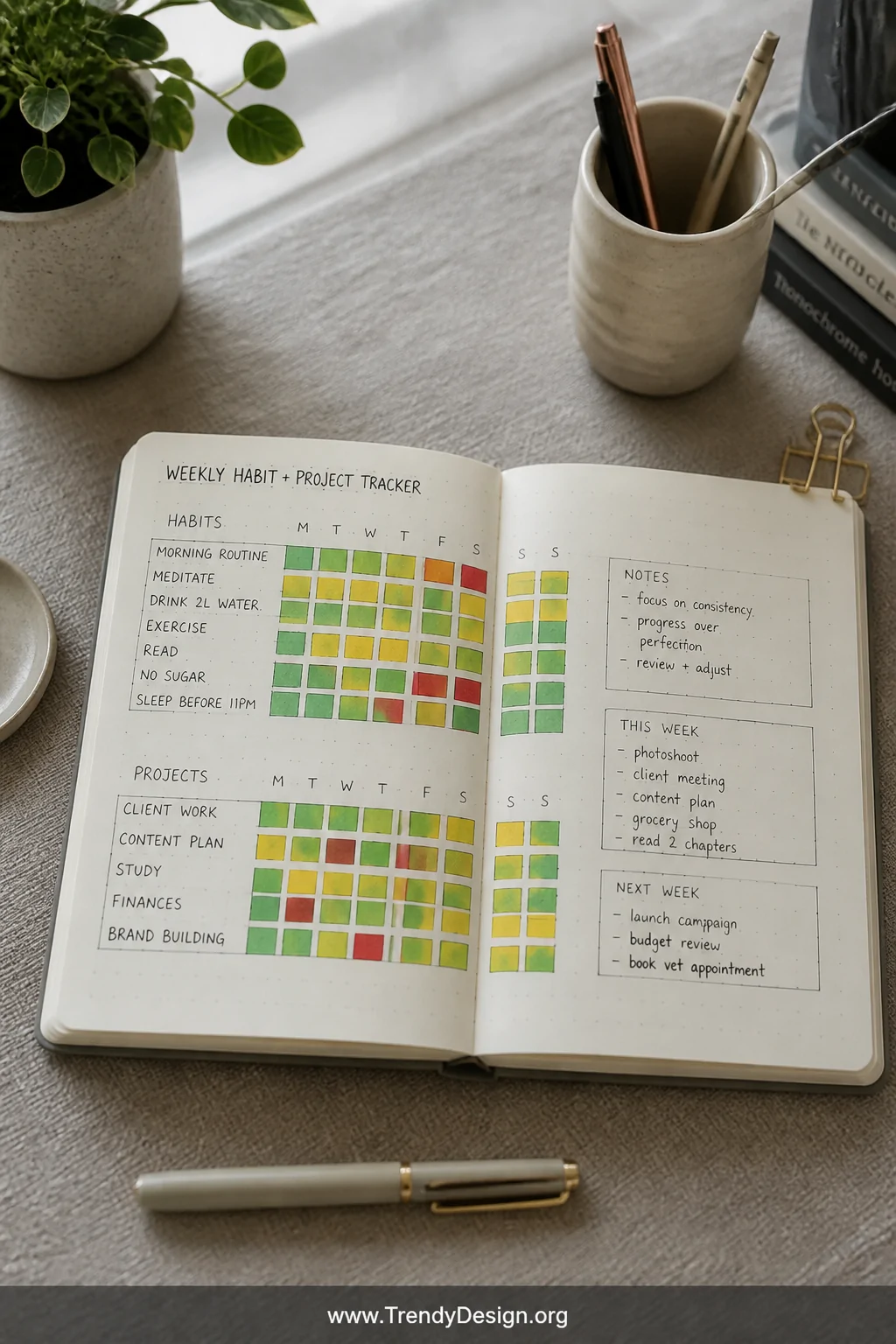
Red, yellow, green the traffic light system is so intuitive your brain already knows what to do with it. Red means stop and handle this immediately, yellow means proceed with awareness, green means all clear and flowing smoothly.
This approach works brilliantly for tracking project progress, habit completion, or even your emotional energy levels throughout the week. FYI, using it for mood tracking alongside tasks gives you genuinely useful data about your own patterns.
- Color in tasks as you complete them to watch your page go green
- Use red sparingly so it keeps its urgency signal intact
- Revisit yellow items daily until they turn red or green
6. Color the Borders and Boxes Instead of the Text
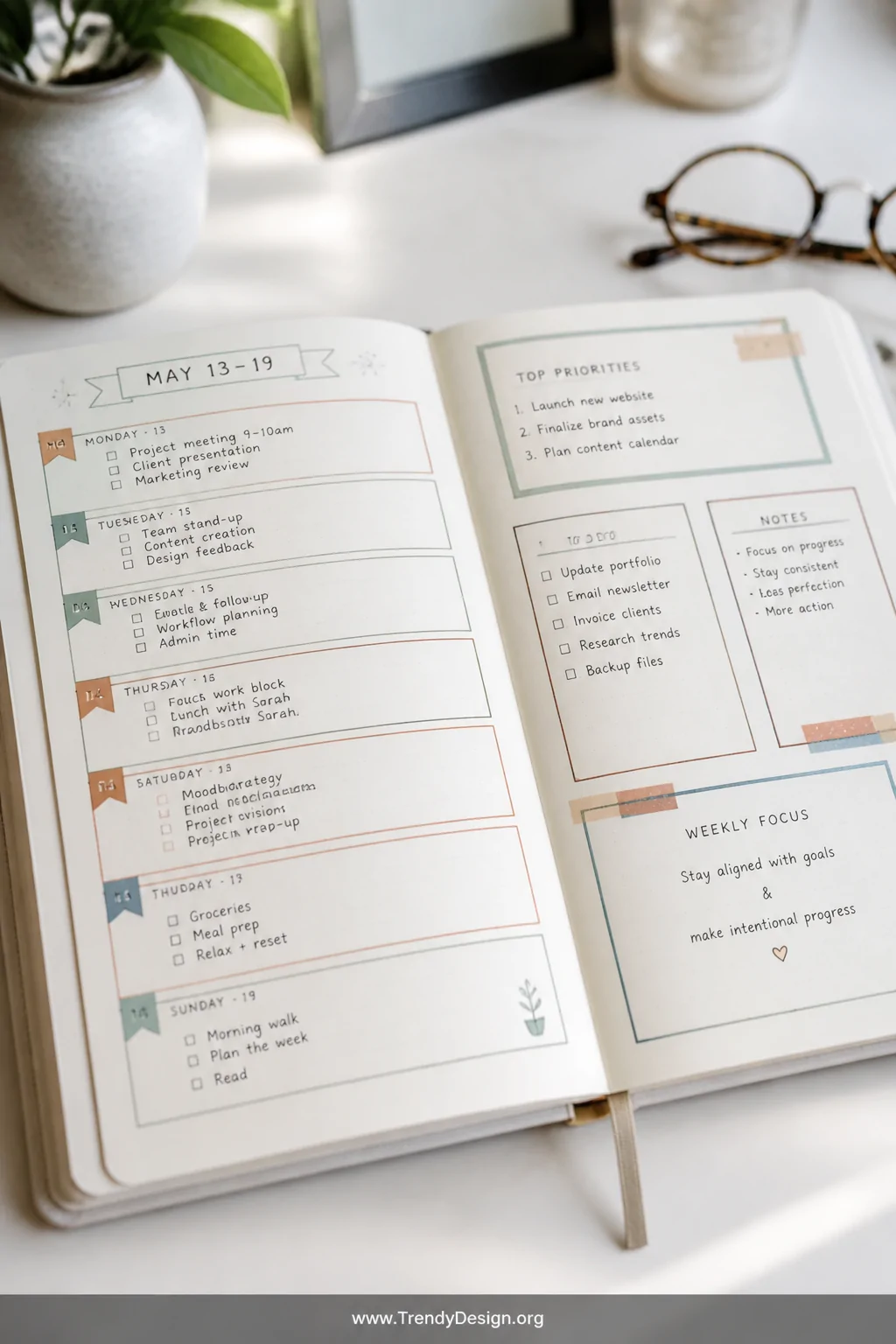
Here’s a sneaky technique that keeps your planner looking clean and aesthetic while still delivering a fully functional color coding system. Instead of writing in colored ink, use colored pens or washi tape to outline boxes, borders, or bullet points.
Your text stays in one readable black or neutral ink, but the color lives around it as a visual container. This is honestly a gorgeous approach if you like that minimalist planner aesthetic but still want the organizational benefits of color.
It also photographs beautifully, just saying, if your planner pages ever make it to Instagram.
7. Use Color to Track Habits and Routines
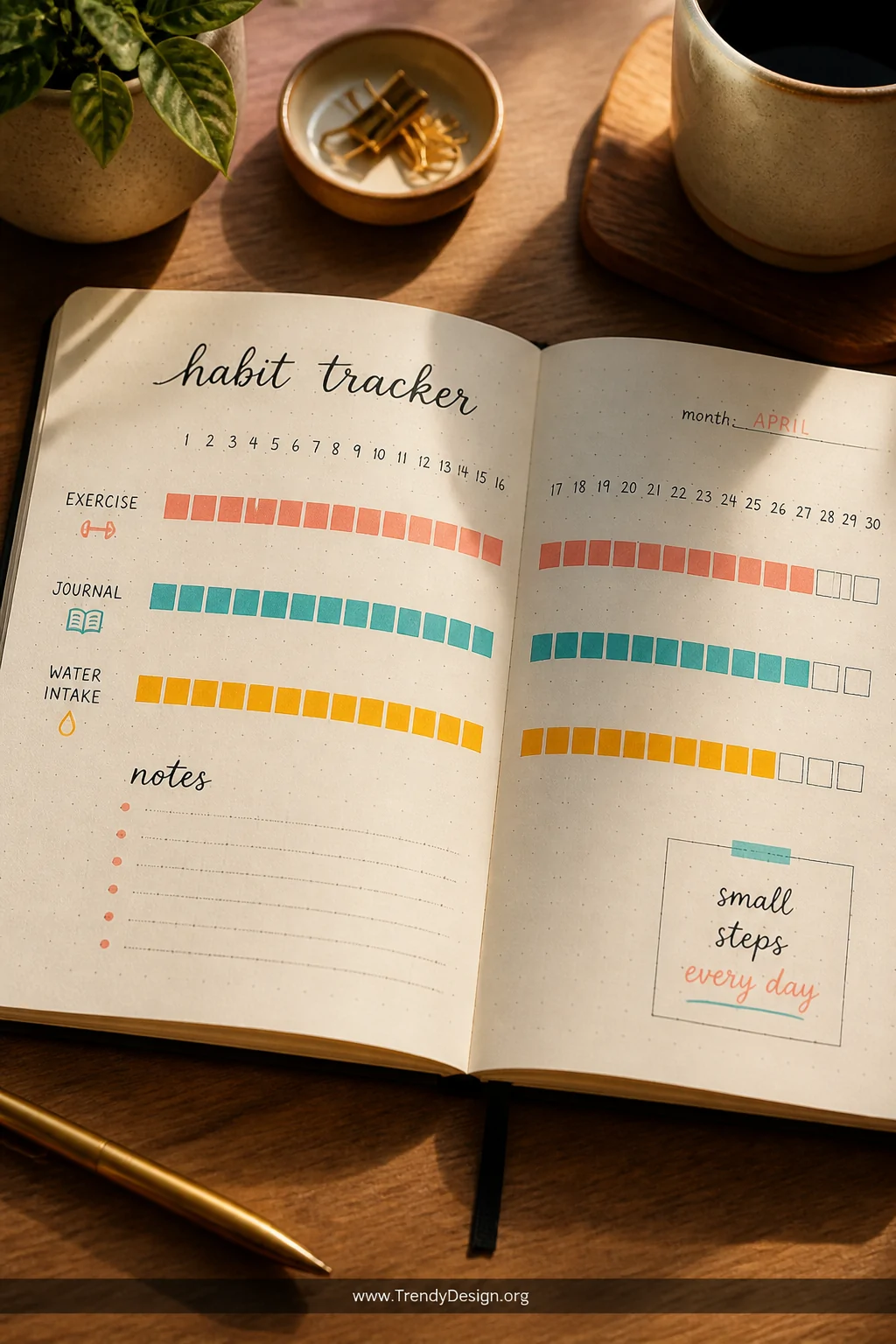
Habit tracking and planner color coding ideas were basically made for each other. Dedicate one color to your morning routine, another to your evening wind-down, and watch patterns emerge across your weeks and months.
You can go even more granular one specific color for exercise, another for journaling, another for water intake. Each filled-in square becomes a tiny celebration that your brain genuinely loves.
- Use gradient shading to track partial completions honestly
- Review your habit colors monthly for a quick visual progress report
- Keep habit colors consistent across all your monthly spreads
Making Habits Stick With Color
The visual streak of seeing your habit color fill up day after day creates powerful psychological momentum. Breaking that streak of color feels genuinely painful and that’s exactly the point.
8. Create a Seasonal or Monthly Color Palette

Switch up your entire color palette with each new month or season to keep your planner feeling fresh and exciting instead of like a chore. January gets cool icy blues, summer months get warm coral and gold, autumn earns all the burnt oranges and deep greens.
This approach keeps you engaged with your planner long-term because it never looks exactly the same twice. It’s basically interior decorating for your schedule and honestly, that’s a very valid way to spend your Sunday evening.
- Plan your monthly palette in advance so you’re not scrambling for supplies
- Pinterest “monthly planner color palette” for endless gorgeous inspiration
- Keep your core category colors consistent while swapping accent tones
Your planner should work for your brain, not against it and a thoughtful color coding system makes that possible without requiring a design degree. Pick one or two of these ideas, start simple, and let your system evolve naturally. The best planner setup is the one you’ll actually use, so grab your favorite pens and make something that genuinely excites you every single morning.
“`
Leave a Reply