So you finally took the plunge and got a second monitor welcome to the productivity promised land! But now your desk looks like a tech explosion happened overnight, and you’re wondering if the upgrade was worth the chaos. Spoiler: it absolutely is, you just need a little help taming the beast.
A great dual monitor desk setup isn’t just about slapping two screens side by side and calling it a day. It’s about creating a workspace that actually makes you feel good, keeps distractions low, and lets you do your best work without hunting for your coffee mug under a pile of cables. Let’s dig into eight ideas that seriously deliver.
1. The Floating Monitor Arm Arrangement
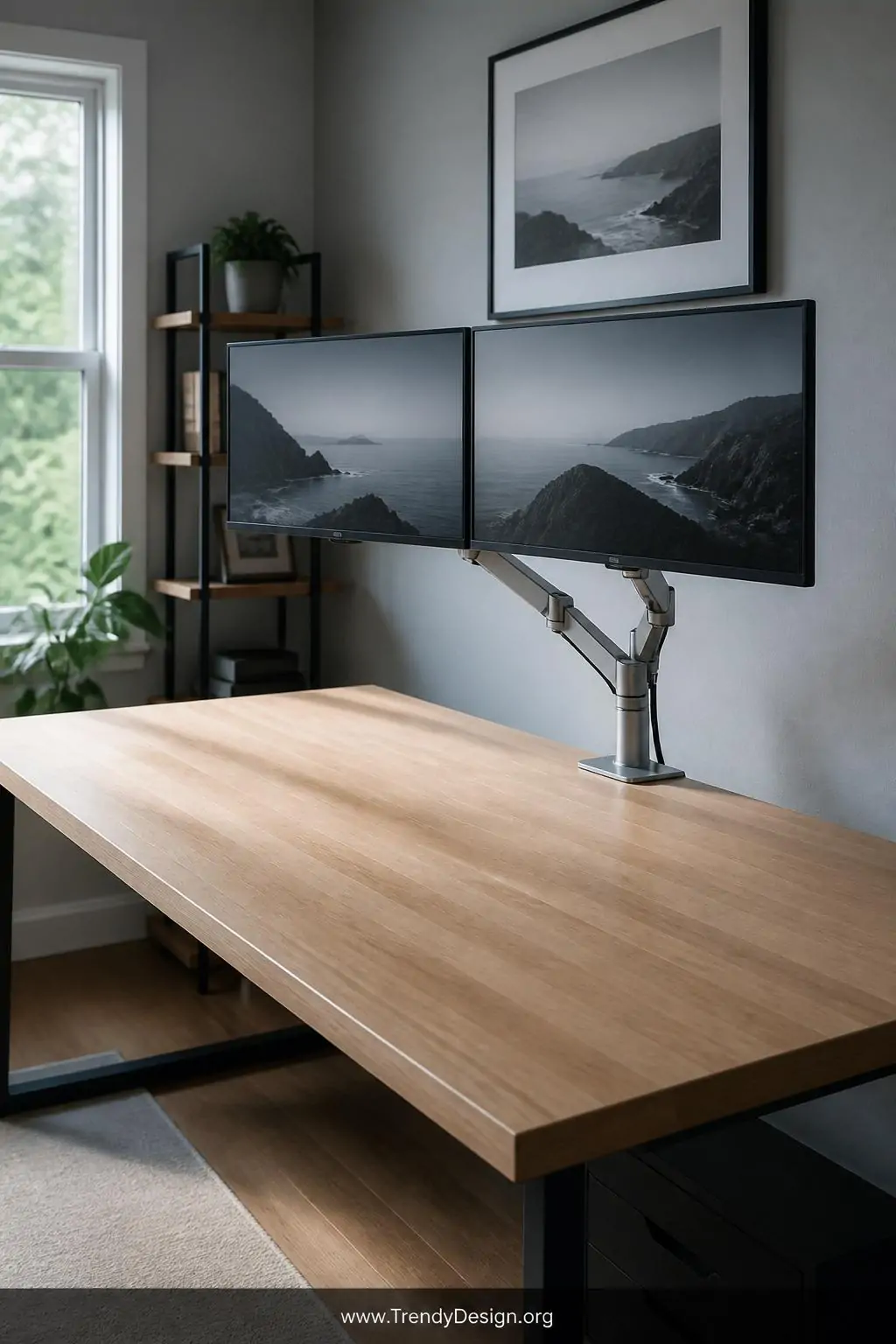
If there’s one single upgrade that transforms a dual monitor desk setup from cluttered to chef’s kiss, it’s a good monitor arm. A dual monitor arm mounts both screens directly to the back edge of your desk, freeing up the entire surface underneath for actual work or snacks, no judgment.
Monitor arms let you tilt, swivel, and adjust your screens to the perfect ergonomic angle, which means less neck strain and more hours of comfortable focus. Brands like Ergotron and VIVO make solid options at various price points, so you don’t need a professional’s budget to get the professional look.
- Choose an arm rated for your monitor’s weight and VESA mount size
- Position the primary screen directly in front of you, secondary slightly to the side
- Use the built-in cable management channels to route cords out of sight
2. The Minimalist L-Shaped Desk Configuration
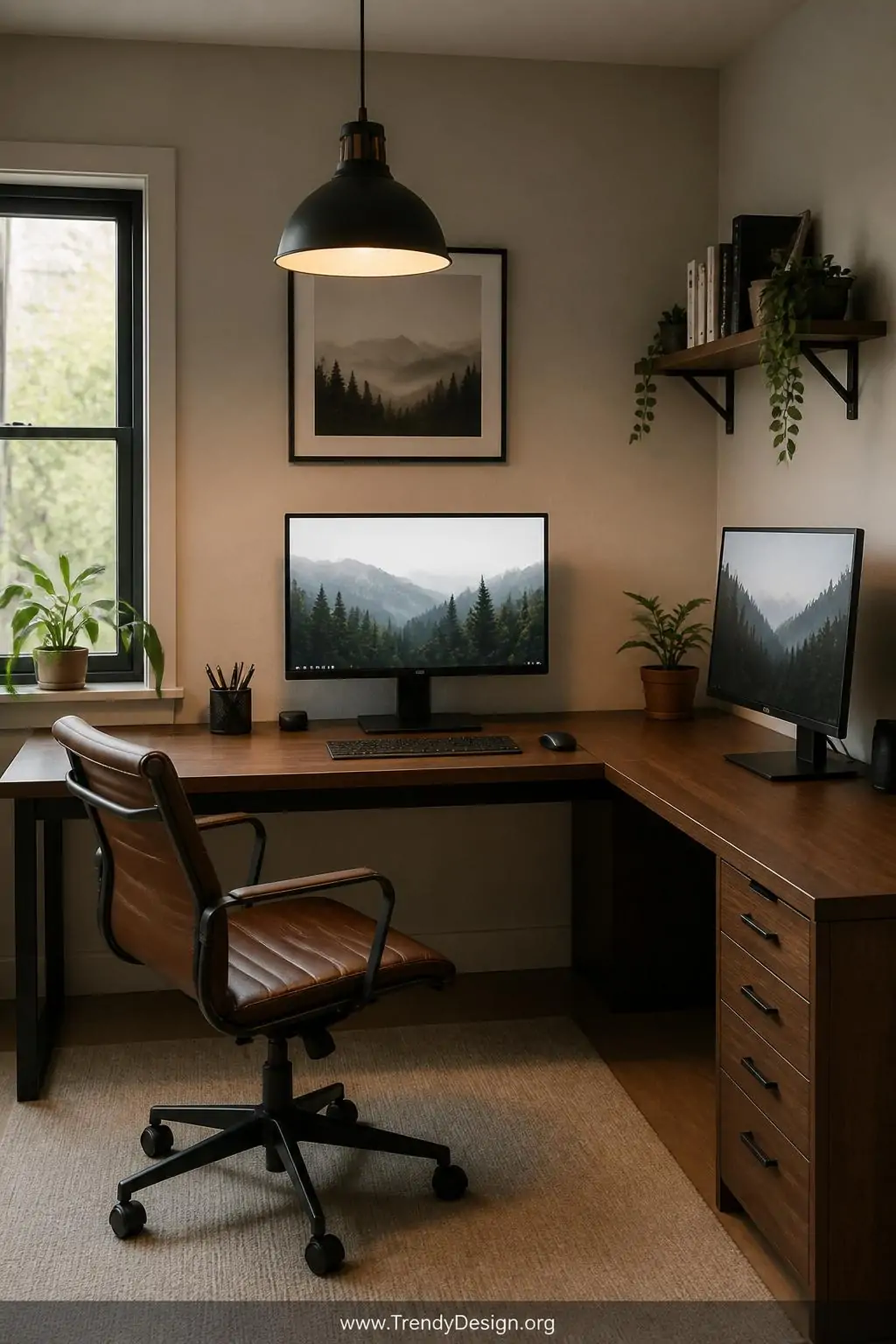
An L-shaped desk is basically the dual monitor setup‘s best friend because it gives each screen its own natural zone. You place your primary monitor in front of you on the main desk surface, and your secondary monitor sits on the return corner it’s like giving each screen its own little apartment.
This layout is especially great for people who use one screen for deep work and the other for reference material, communication, or dashboards. The physical separation of tasks actually helps your brain switch contexts more cleanly, which is a sneaky productivity win.
What to Look for in an L-Shaped Desk
- At least 55 inches on the main side for comfortable monitor spacing
- Built-in cable grommets to keep wires hidden and contained
- A sturdy corner joint that won’t wobble when you type aggressively
3. The Pegboard Wall Panel System
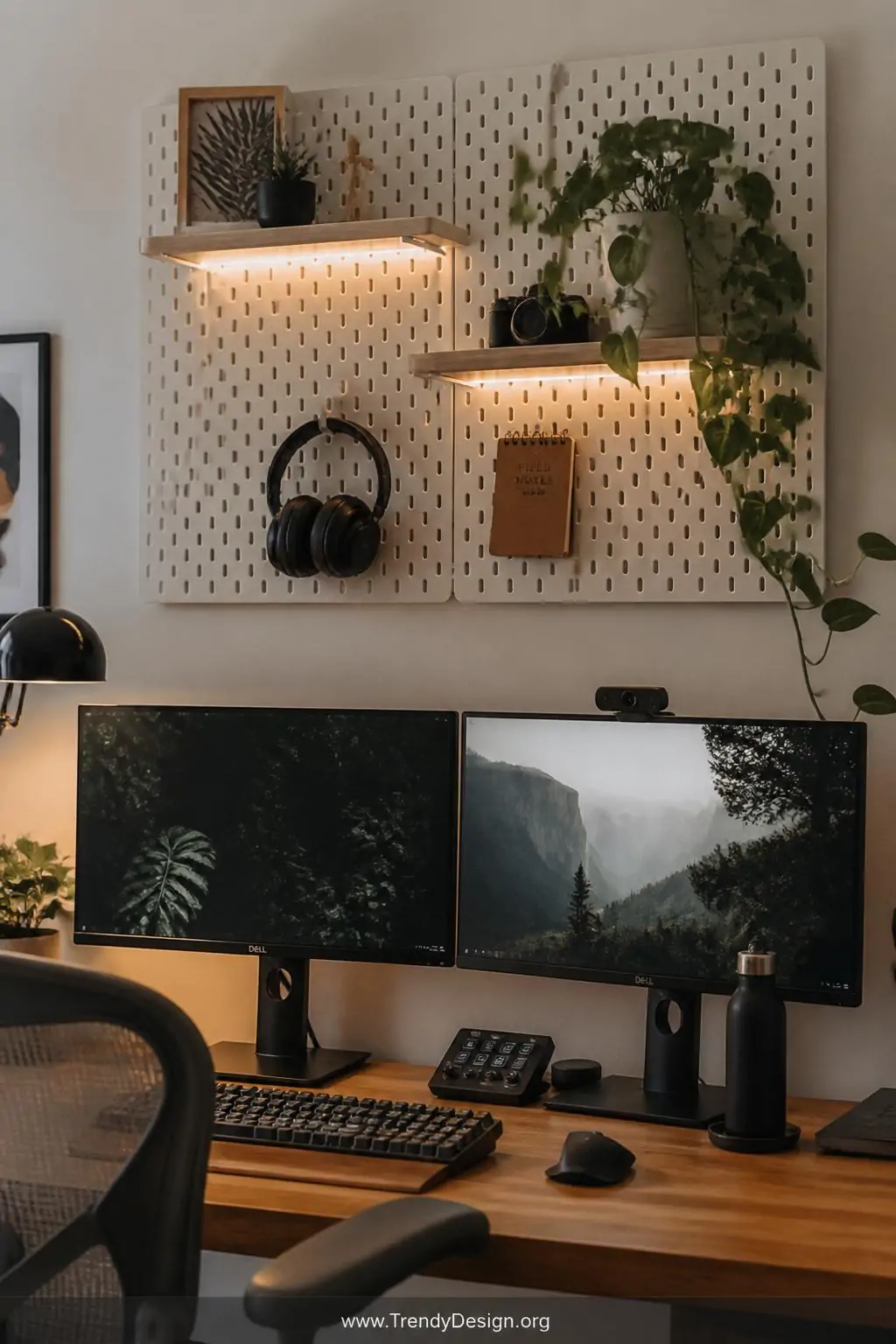
Honestly, nothing fights desk clutter quite like moving your storage vertical, and a pegboard wall panel does exactly that. Mounted directly above or behind your dual monitor setup, a pegboard lets you hang headphones, small shelves, cable organizers, a notepad, and even a little plant without sacrificing a single inch of desk space.
IKEA’s SKÅDIS pegboard is a fan favorite because the accessory ecosystem is genuinely impressive and affordable. You can customize the whole thing in an afternoon and end up with a setup that looks intentional rather than improvised.
The visual effect is also surprisingly tidy when your accessories are displayed neatly on the wall, the area around your monitors stays clean and your eyes have a clear path between your two screens without visual noise fighting for attention.
4. The Under-Desk Cable Management Tray Setup
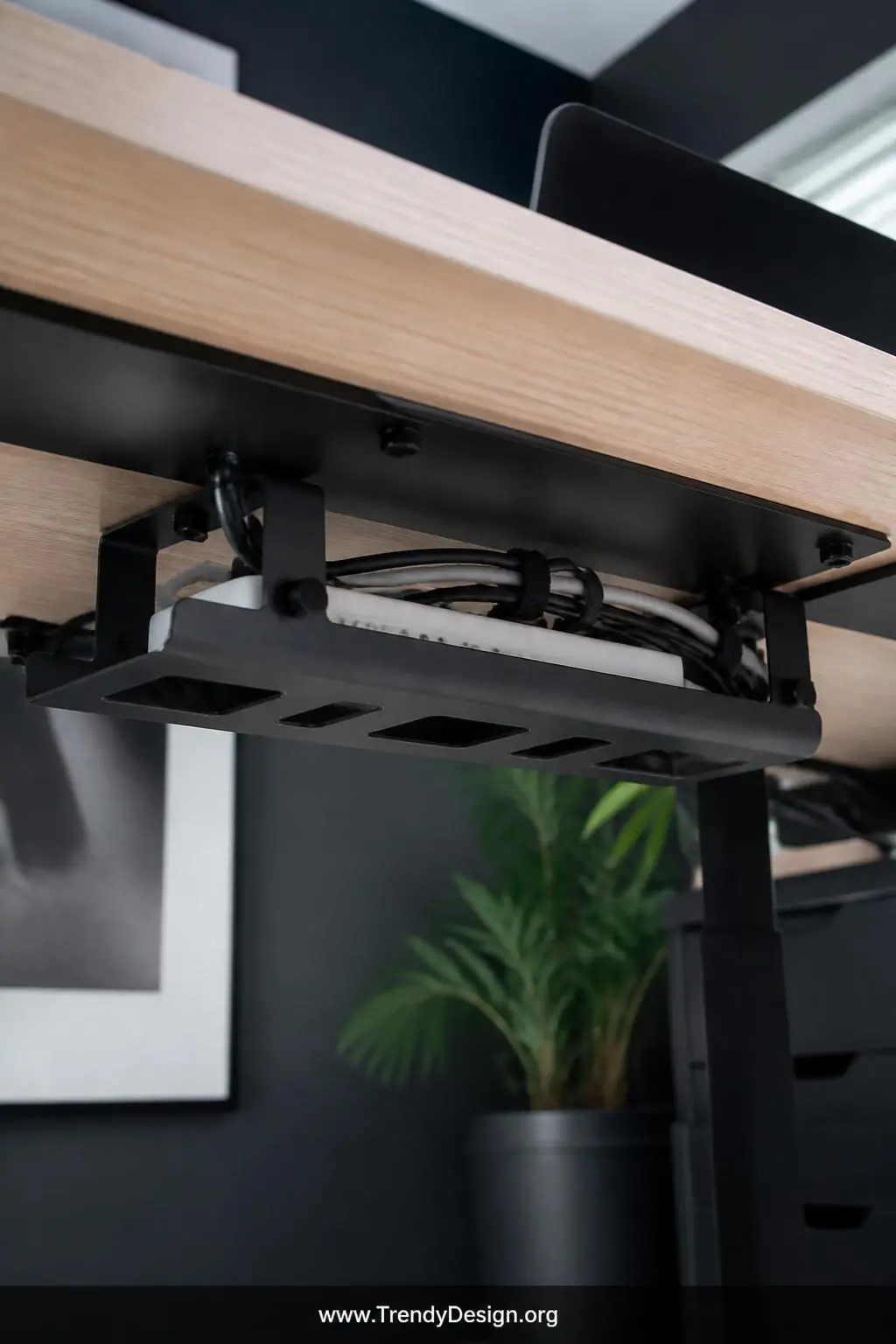
Let’s be real cables are the number one enemy of a beautiful dual monitor desk setup. Two monitors mean two power cables, two display cables, and suddenly you’ve got a spaghetti situation happening beneath your desk that would make any interior designer weep quietly.
An under-desk cable management tray mounts to the underside of your desk and holds a power strip plus all your excess cable length completely out of sight. The transformation is almost embarrassingly dramatic same desk, same equipment, but suddenly everything looks intentional and clean.
- Use velcro cable ties (not zip ties) so you can adjust easily later
- Label cables at both ends so you never unplug the wrong thing
- A J-channel cable raceway along the desk leg keeps floor cables tidy too
5. The Elevated Monitor Stand With Shelf Storage
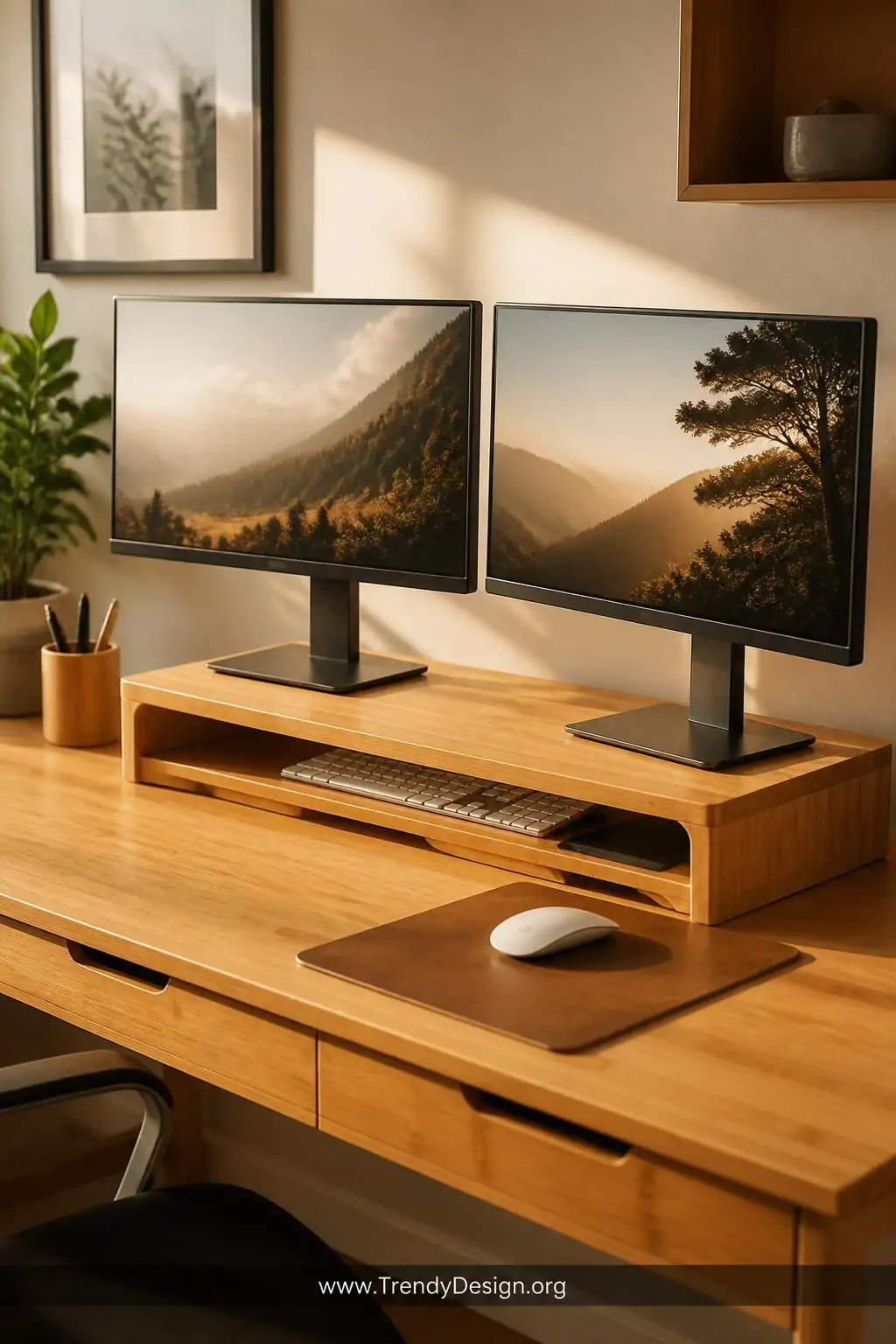
A monitor riser stand with a built-in shelf is a clever two-for-one solution that works beautifully for dual screen setups. You raise your monitors to eye level (huge ergonomic win), and the space underneath the stand becomes prime real estate for a keyboard, notebooks, a small speaker, or your inevitable collection of sticky notes.
FYI, screens sitting at the right height make an enormous difference in how long you can work comfortably before your neck starts sending strongly worded complaints. Pairing a bamboo or wood monitor riser with matching desk accessories creates a cohesive, warm aesthetic that feels less “IT department” and more “intentional creative.”
Riser Materials Worth Considering
- Bamboo or wood: Warm, natural look, extremely sturdy
- Metal mesh: Modern industrial vibe, excellent airflow for devices
- Acrylic: Minimal visual footprint, easy to clean
6. The Ultrawide Plus Vertical Monitor Pairing
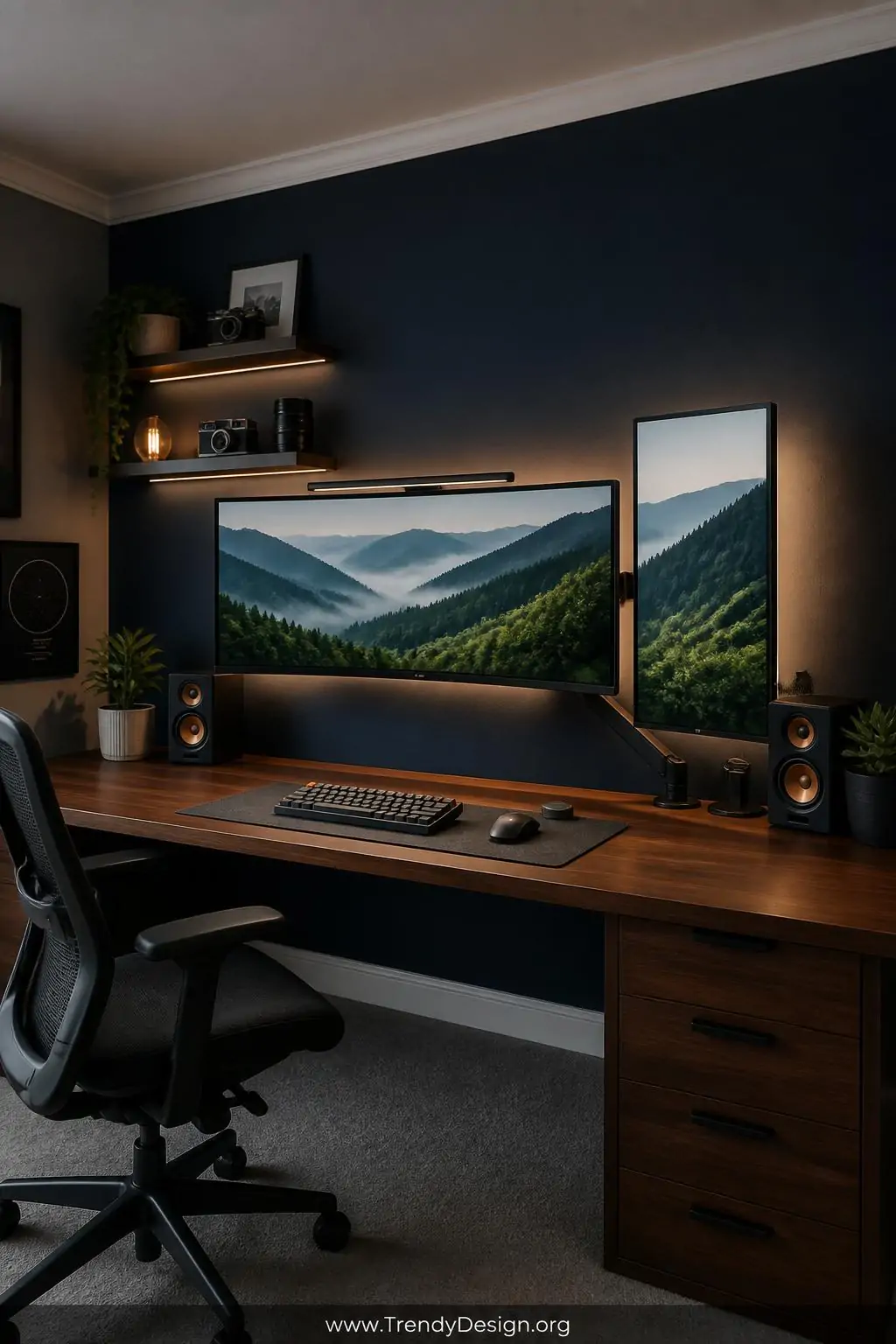
IMO, one of the most underrated dual monitor configurations is pairing one wide horizontal screen with one monitor mounted vertically in portrait mode. The horizontal screen handles your main workspace documents, design tools, video while the vertical monitor is absolutely magical for reading long articles, reviewing code, viewing emails, or scrolling social feeds.
This hybrid orientation setup maximizes how much content you can see at once without requiring a massive amount of horizontal desk space. Most monitor arms and stands support portrait rotation, so switching is usually just a matter of loosening one knob and tilting the screen 90 degrees.
It looks a little unconventional at first, but within about two hours of using it, you’ll genuinely wonder how you survived without a tall screen living next to your wide one.
7. The Dedicated Desk Drawer Unit With Cable Ports
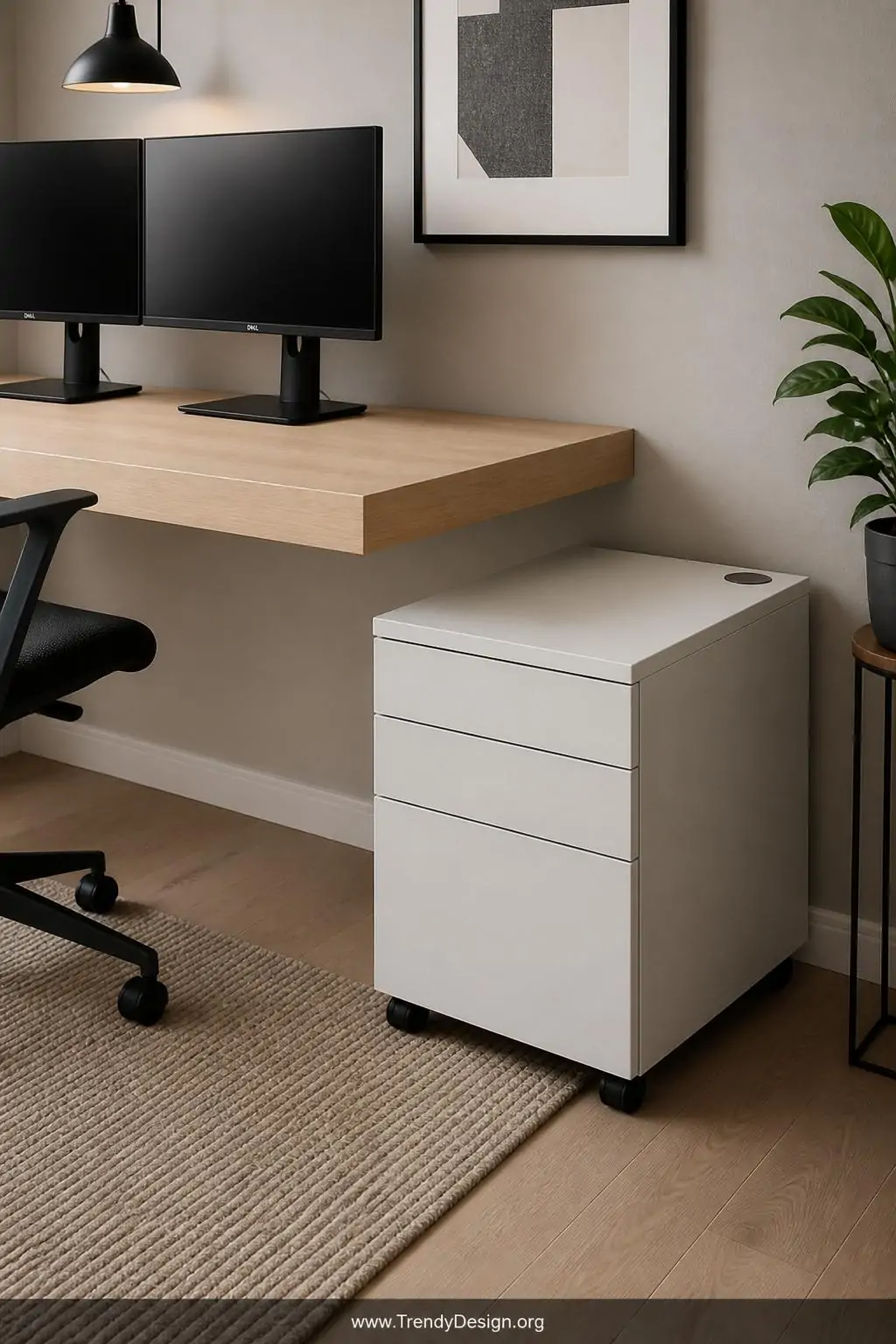
A rolling pedestal drawer unit parked beside your desk does double duty in a dual monitor workspace it handles all your storage needs while keeping the desk surface completely clear for your screens and actual work. Look specifically for drawer units that have a built-in top surface cable grommet or USB charging hub, because that detail makes the whole setup dramatically more functional.
Keeping peripherals, notebooks, and tech accessories inside drawers rather than scattered on the desk surface is one of those simple habits that pays massive dividends in how focused and calm your workspace feels. Out of sight genuinely does mean out of mind, and your dual monitor screens will look twice as impressive against a clean backdrop.
- Use drawer organizers inside each drawer to prevent a second layer of chaos
- Position the unit on your non-dominant side to keep your reach zone clear
- A locking top drawer adds peace of mind in shared spaces
8. The Backlit LED Strip Ambient Lighting Setup
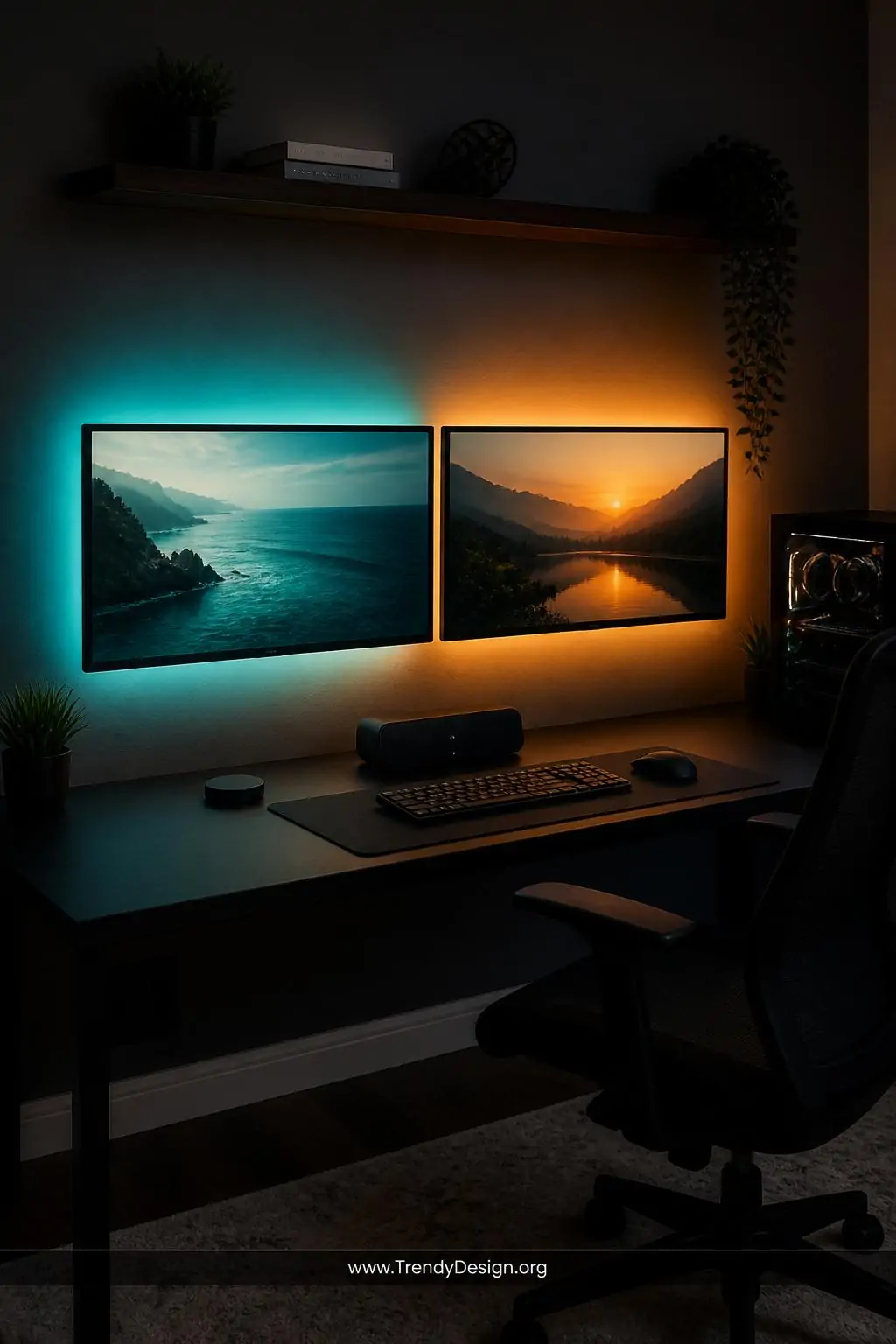
Okay, hear me out LED bias lighting strips mounted behind your dual monitors aren’t just aesthetic eye candy (though they absolutely are that too). Ambient backlighting reduces eye strain by softening the contrast between your bright screens and a dark wall, which means longer, more comfortable work sessions with less fatigue at the end of the day.
Govee and Philips Hue both make fantastic options that sync with your screen content or simply glow a steady warm color of your choosing. The soft halo of light around your monitors makes the entire setup look polished and intentional, like something out of a productivity YouTube channel which, if that’s your goal, it works brilliantly for that too.
The Bottom Line
A well-planned dual monitor desk setup genuinely changes how you work, and none of these ideas require a full room renovation or a professional interior designer on speed dial. Start with one upgrade maybe the monitor arm or the cable management tray and build from there as your budget and enthusiasm allow.
The sweet spot is a workspace that feels calm, functional, and a little bit exciting to sit down at every morning. When your environment works with you instead of against you, showing up to your desk stops feeling like a chore and starts feeling like stepping into your own personal productivity headquarters. And honestly, that energy is worth every penny.
Leave a Reply